
The AI coworker that lives in your Slack.
Your team makes decisions in Slack, and then someone has to record them somewhere else. Via turns a reaction into work that has an owner, answers questions about the week's leads and payments straight from the ledger, and writes every change back to the CRM and the dashboard the rest of the company reads.
Free plan forever with no credit card, and unlimited seats on every plan.
You can also run Viably from the dashboard without Slack.
@Via summarize this thread and file anything blocking the launch

3 blockers surfaced across 42 messages. Filed the two that block launch.
- Issue #221: annual-plan 500 (blocker)
- Issue #222: webhook retry storm (blocker)
Three ways to set something in motion.
React to a message, mention @Via, or run a command. Via watches for the reactions your team already uses, answers when you mention it, and turns either into a record in Viably.
Reactions
Each reaction does one thing, in the channel where someone reacted.- 🏅 award a medal🐛 file an issue📌 pin it📋 make it a task⏰ remind us🔒 lock the thread🗓️ put it on the calendar📧 forward it on📷 scan the image
Mentions
Via only reads the channels it was invited to.- File several issues from one threadCreate and reassign tasksFind an hour everyone is freeReport on the week's leads and paymentsUpload the matching rows as a CSV
Commands
For the jobs that have no message to react to.- /calendar/github-notify/leaderboard/tags
Turn the reactions your team already uses into real work.
React to a message and Via turns it into a task, a record or a follow-up, right in the channel where the decision was made.
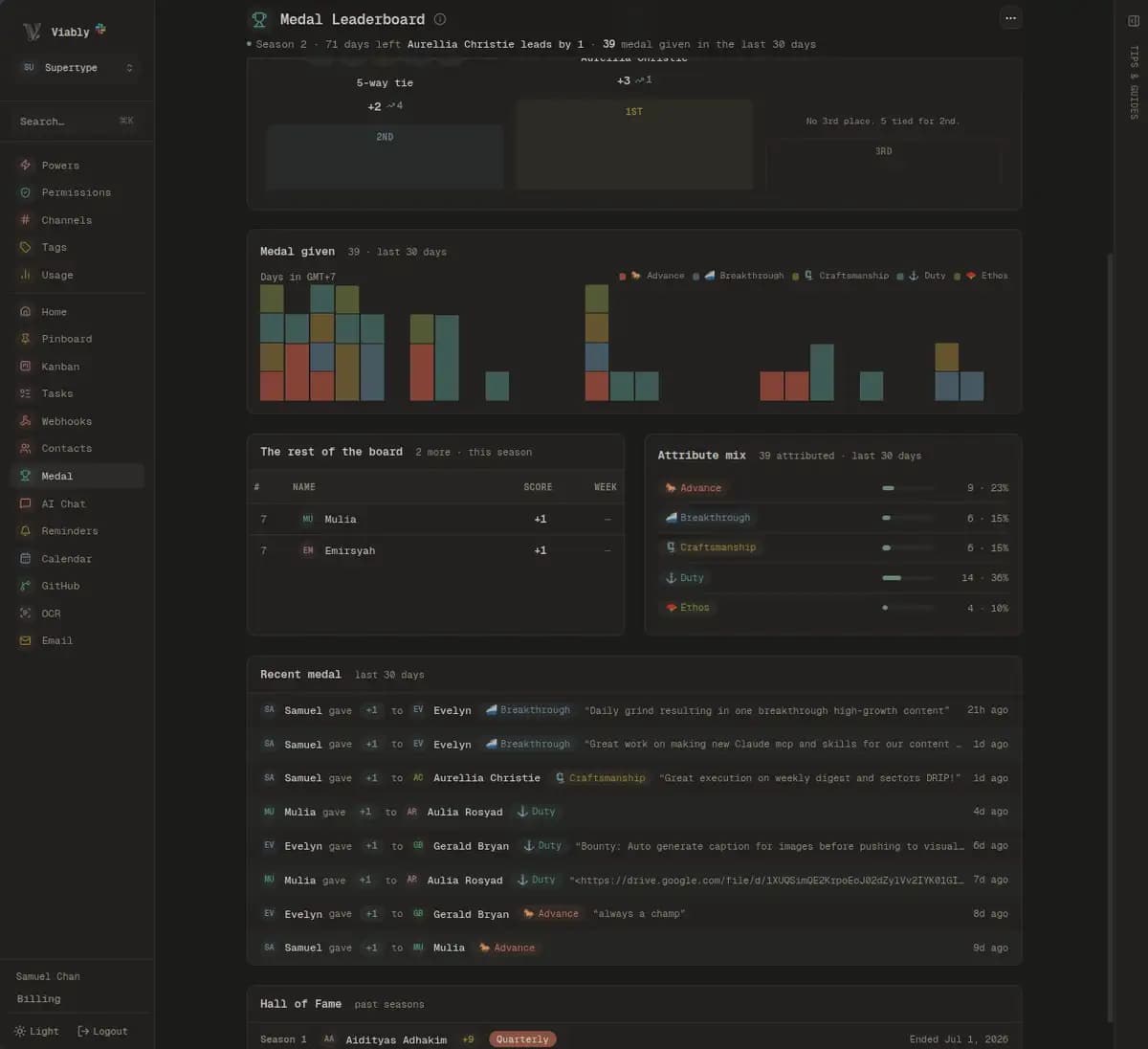
React 🏅on a teammate's message and Viably awards them a medal, then updates the leaderboard.
Shipped the checkout hotfix, annual plans are paying again ✅
Climbing the #product leaderboard.
 Viably
Medal leaderboard
Capture leads, answer questions and follow up on time.
Revenue teams do these three things in Slack every week. Each play below shows the conversation beside the records Via created from it.
Twelve seats, annual, asking about the migration window.
- Name
- Michael Scott
- Company
- Dunder Mifflin, Scranton
- [email protected]
- Source
- viably.app/pricing
Mine. Quoting them this afternoon.
- Task
- Send Michael the twelve-seat quote
- Owner
- @jim
- Due
- Today
- Follow-up
- 11:00, on the due date
The enquiry arrives in Slack automatically, and someone on your team owns it the same day.
- One ledger row
The enquiry, kept with its original payload and filterable by category months later.
- One contact record
Matched on the email address. The payment that follows lands on the same person.
- One owned task
With an owner and a follow-up already scheduled for the due date.
Ask for several things in one sentence.
A single message in a channel often holds a task, a bug and a promise to check back on Friday. Via reads the whole message, works out which tool each part needs, and runs them together. The reply in the thread lists what it created.
Read the guideDone. Created 3 items:
- Draft launch checklist
- File bug: annual plan 500
- Remind #eng on Friday 4pm
An assistant an admin can audit.
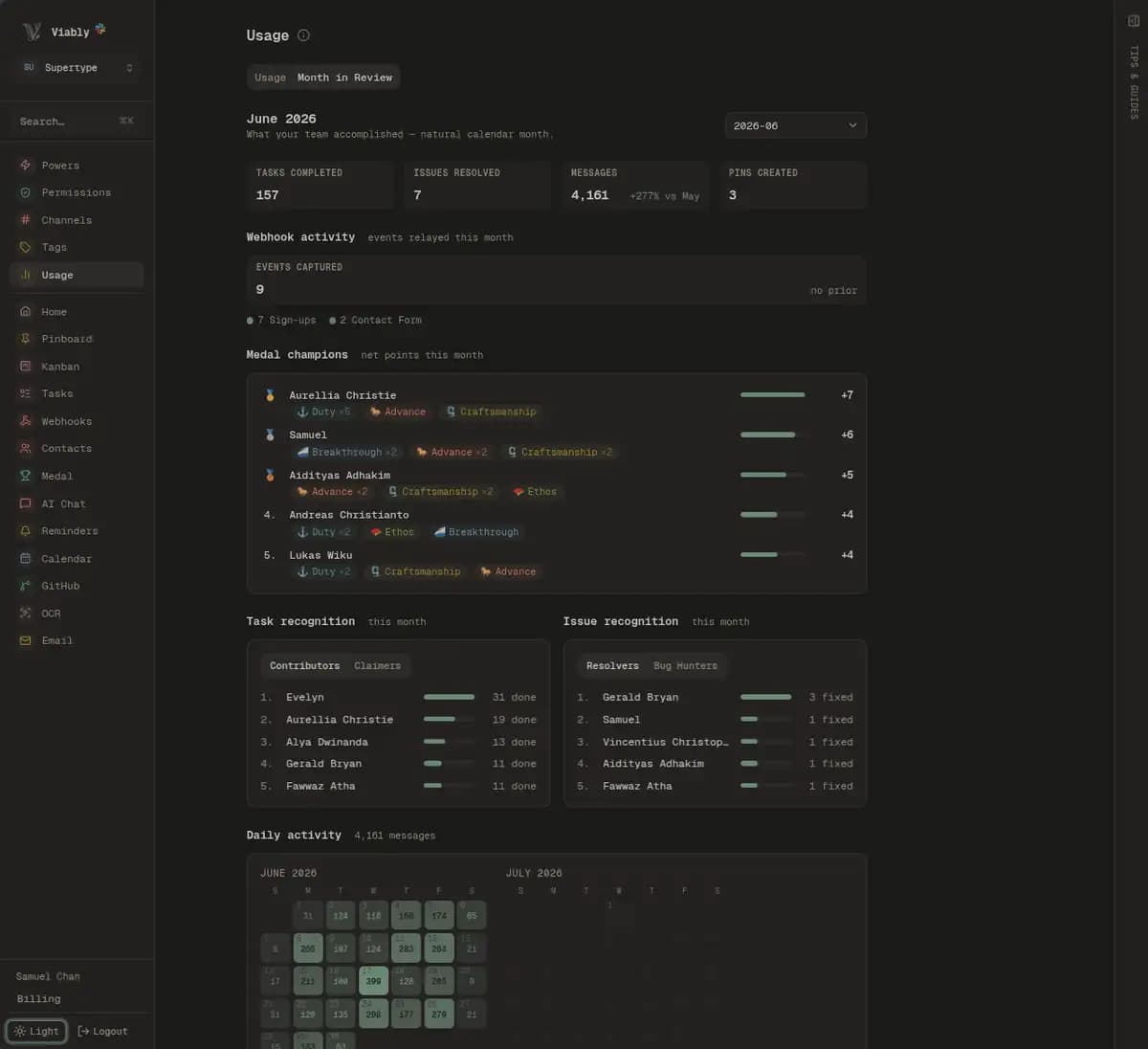
Viably records every turn with the model that answered it, what triggered it, how long it took and what it cost. Admins see the AI spend on the Usage page.
Several actions from one sentence
Ask for the quote to be tracked, the bug filed, and the channel reminded on Friday, and Via does all three from one message.
Two-tier model routing
A fast model reads what you meant and a capable one runs the tools.
Eight models to choose from
Pick the model your workspace prefers from the command center, or bring your own provider key and pay for the usage at cost.
Answers drawn from your own ledger
Questions about leads, sign-ups, contact forms and payments are answered from the relay ledger over any date range, and Via will upload the matching rows as a CSV.
Only the channels you invite it to
Via reads only the channels it has been added to. It can't see private channels or direct messages it wasn't invited to.
Every turn metered and visible
Viably records the model, trigger, latency and cost of each call on the Usage page.
Via follows up on the tasks it creates and logs the result.
Via checks in at 11:00 on the day a task is due, nudges the owner privately when it slips, gives the person who asked a heads-up, and writes the completion back to the ledger, so it counts in your month in review.
1,284events onthe record
Set reminders in plain language.
React to a message with the alarm clock and type when you want it back, or ask Via to nudge a whole channel. Write the time the way you would say it, like “in 3 days” or “at 4pm Friday”, and Viably sets it in your workspace timezone.
Let's revisit the pricing rollout after launch week
Reply with a time and I'll keep this thread attached.
in 2 weeks
I'll nudge you here with a link back to this message.
@via remind #standup about the retro at 3pm friday
I'll post in the channel at the time and @-here everyone.
- When
- Fri 20 Jun · 3:00 PM
- Where
- #standup
- About
- the retro
- Timezone
- Asia/Singapore
React ⏰ on any message and Via asks when. Reply in plain language and the message comes along as context. Or mention Via with a channel and a time, and it nudges the whole channel.
Wednesday, 18 Jun · 4:00 PM
+3 daysin your workspace timezone (Asia/Singapore)
Write the time however you like, relative or absolute. Via reads it and sets an exact time in your team's timezone.
Reminder set
Friday · 3:00 PM · the retro
Set in Slack and added to the shared team calendar at the same time.
See everything Via does in one place.
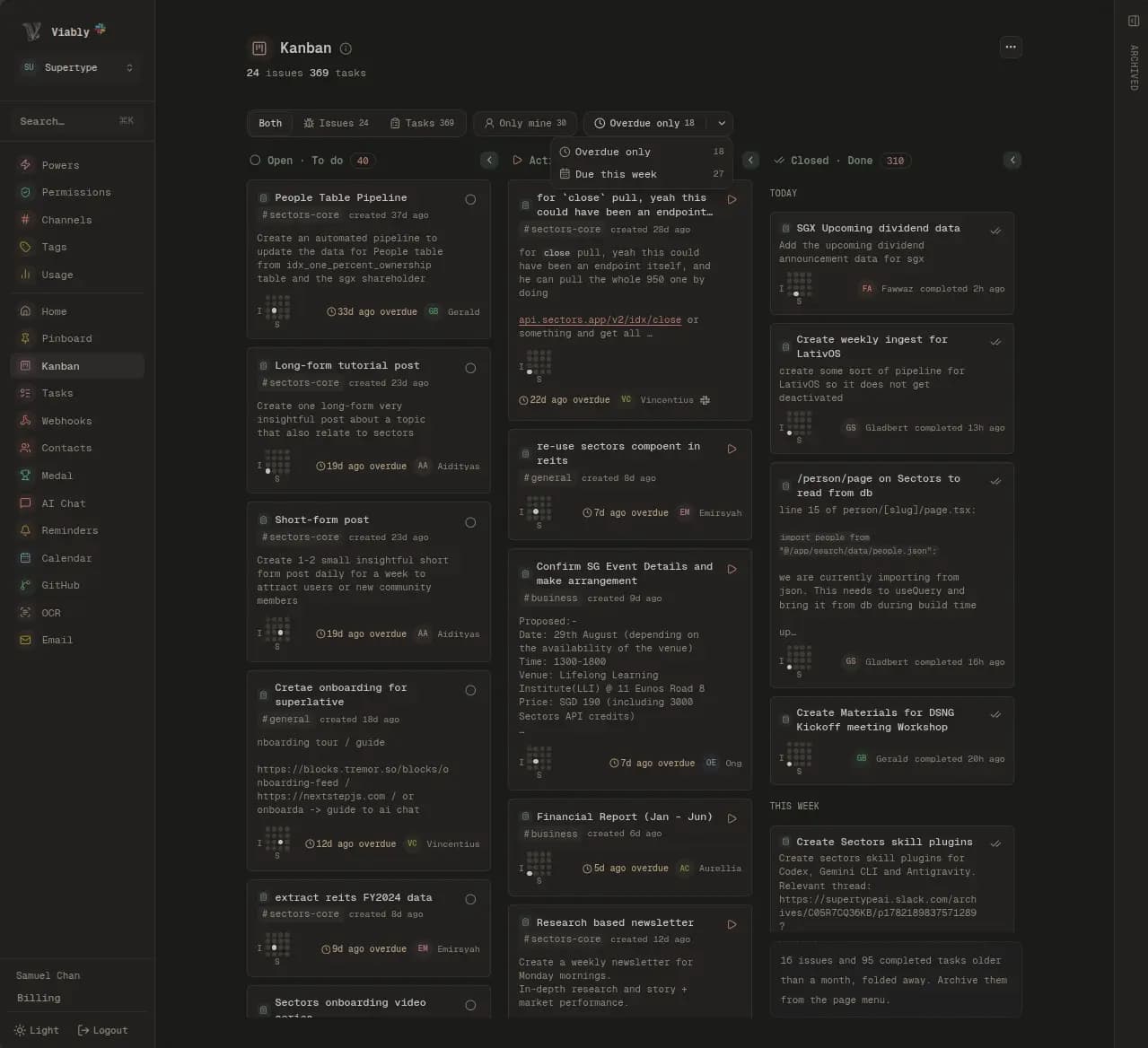
In the dashboard, admins pick the model, read what Via has been asked to do, and see the tasks, reminders and medals it created. Via fills the screens below as it works.
ViablyEvery issue, every task on the kanban, and everything that moves the needle for our team goes through Via. It organizes work in a way that is truly only possible because of all the automation hooks that it packs with it. We cannot imagine having to work without it after the third month.
 Gerald BryanLead Architect, Sectors Financial AI Suitesectors.app
How Via compares to the tools you already use.
Most Slack teams already use a workflow builder to send events into a channel, plus a point tool or two. Each comparison goes capability by capability and says when the other tool is the better pick.
Invite your whole team at no extra cost.
Viably bills per workspace with unlimited seats, so support, sales and engineering can all work in the same channels. The Free plan includes the full feature set and Via, and Viably+ raises the limits for teams with more event volume.
Questions about the Slack integration
What is Via?
What can I ask Via to do?
Can Via capture leads and enquiries for the CRM?
Which AI models does Via use?
Can I bring my own API key?
Does Via read private channels?
How do I set a reminder in Slack?
Does Via understand natural-language times?
Do I need Slack to use Viably?
How much does Via cost?
Connect something else
Every integration files into the same customer records, channels and log.
Put Via in the channel where the work already happens.
Add Viably free, invite Via to one channel, and turn the first reaction into work with an owner.
- Free to start
- No credit card required
- Powers on when you need them