
Every event, live where your team already works.
Point any webhook at Viably and the moment something happens — a payment, signup, lead, or deploy — it lands in Slack as a clean card, with retries, logging, and follow-up built in.
POSTrelay$59.90 from Pam Beesly
- Plan
- Pro, monthly
- Where
- 🇺🇸 United States
The same endpoint, formatted for what it is
Payments, signups, leads, and deploys all post to a single URL. Viably reads the type and builds the right Slack card, so the alert feels native instead of hand-built.
$59.90 from Pam Beesly
- Plan
- Pro, monthly
- Where
- 🇺🇸 United States
A charge clears and finance sees it in seconds, with the amount, plan, and customer already laid out. Stripe events arrive signed and de-duplicated.
An event that needs a person becomes a task
Once the alert lands, it can also create the follow-up. Leave it unassigned and it goes up for grabs; assign someone and it becomes managed work instead of a signal that disappears.
From notification to next action
A payment posts, and right beneath it Via files the follow-up. Leave it unassigned and it goes up for grabs, so the work finds an owner in one tap rather than in a thread of who has this.

Pam Beesly upgraded to Pro, monthly.
Spawned from this event. Nobody owns it yet.
A blip never costs you an event
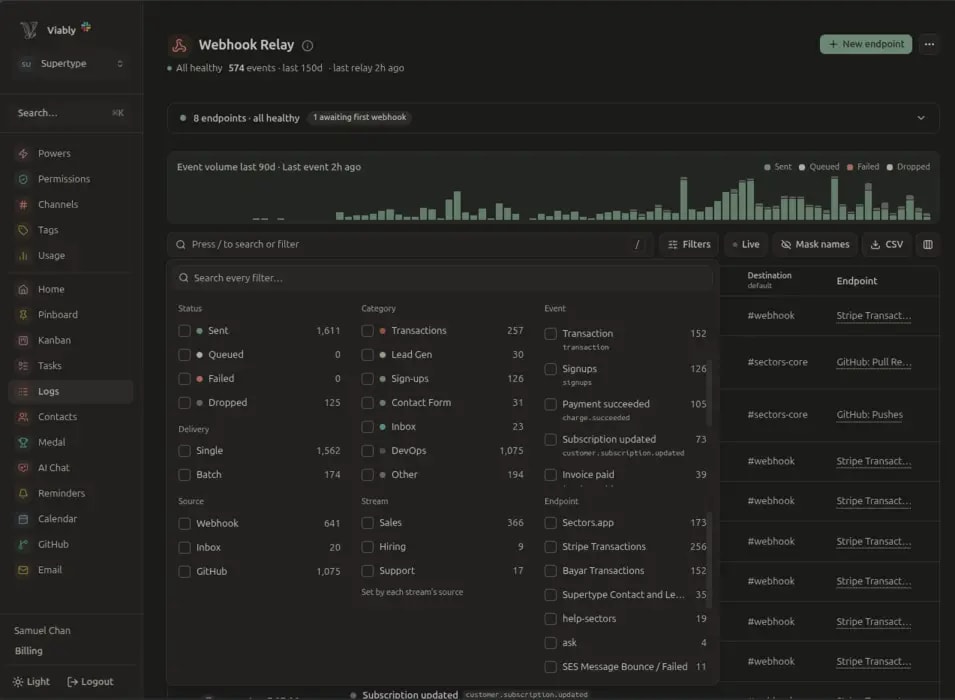
Every endpoint keeps its own log of delivered, failed and dropped events. A failed delivery retries until it lands, and a stream that runs hot can post as one digest instead of a flood.
- transactionPayment · $4,320.00queued
- devopsDeploy · [email protected]retry in 2s
- transactionPayment · $59.90queued
- signupsNew signup · [email protected]delivered
1,190 events · 1,187 delivered · 2 queued
The pattern shows itself, without a second tool
The reports are built from the same events you already relay, so there is no extra instrumentation to maintain. See each day's events and revenue, slice the volume by category, and look back across earlier months on Viably+.
 Viably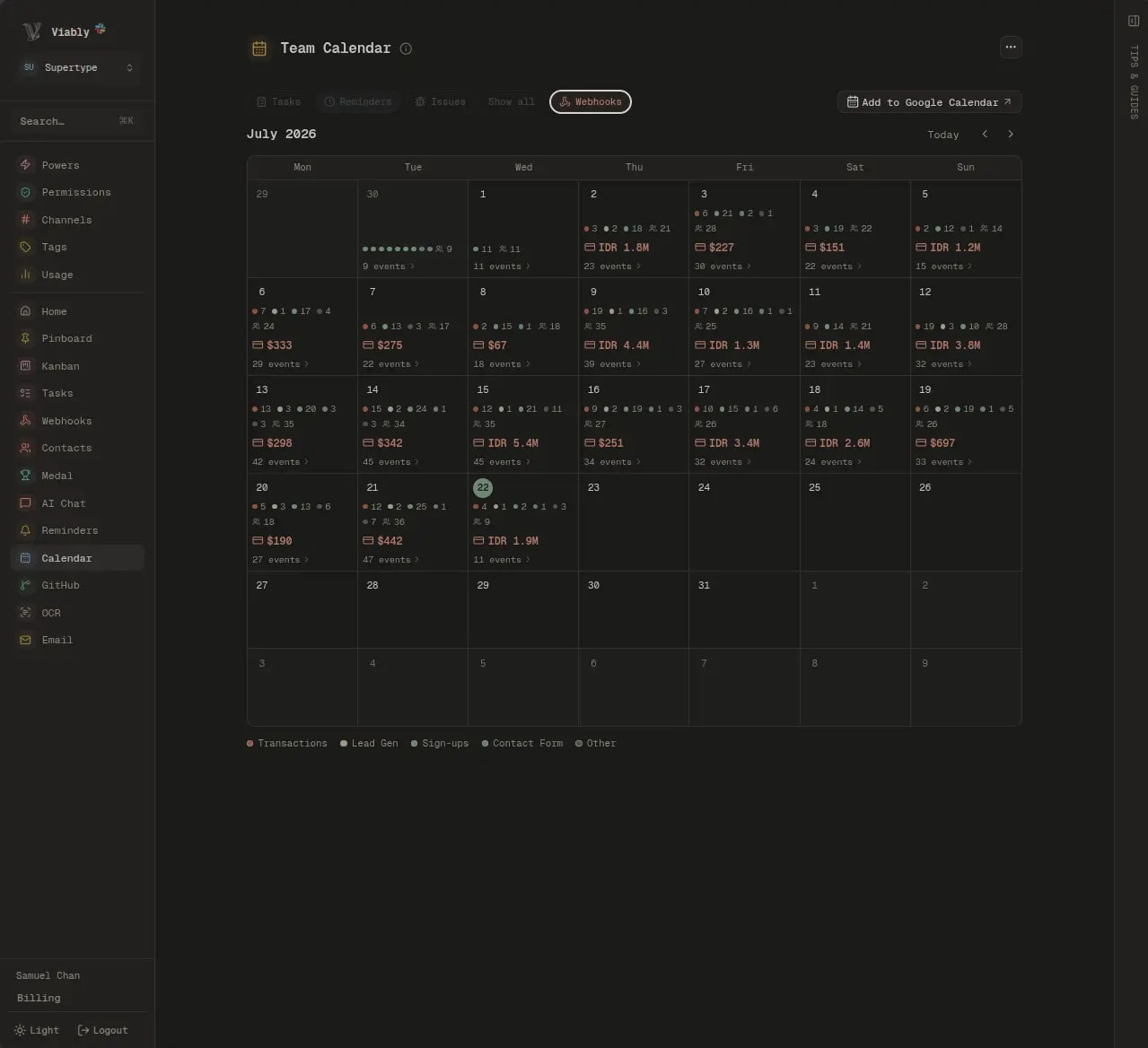
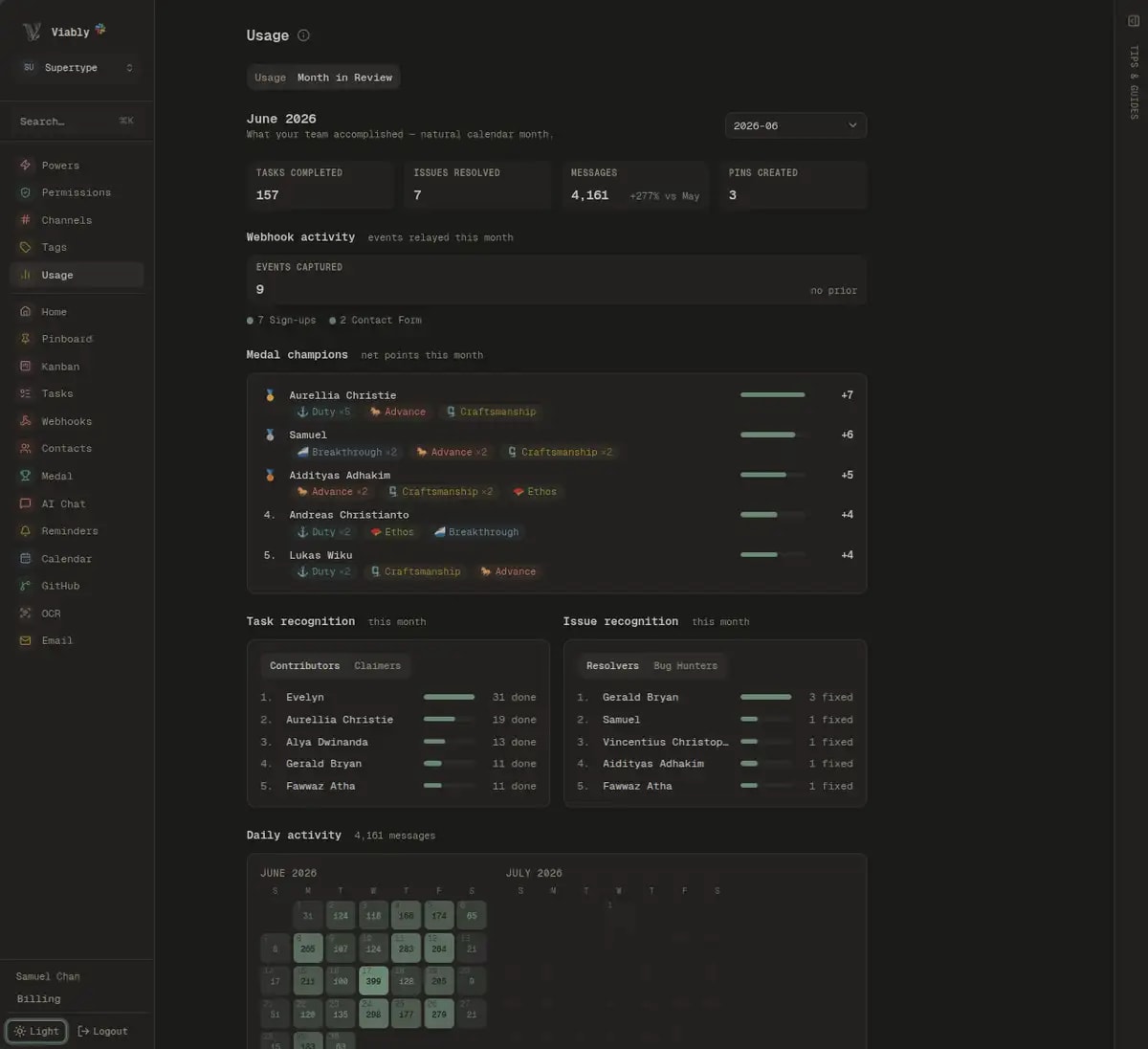
Every day of the month counts its events by category and adds up the revenue that landed with them.
It starts with a slash command
No servers to stand up, no dashboards to wire. Run one command in Slack, copy the URL and token, and your app starts posting.
One command, and you're relaying
Type /webhook-relay in any channel and Via hands back a live endpoint with its token. Post a small JSON body to it and the formatting, retries, and logging are already handled.
/webhook-relay
Post events here and I'll format and deliver them to this channel.
- Endpoint
hq.viably.app/relay- Auth
Bearer •••••
/webhook-relay in Slack, or open the command center, and pick a destination channel. You get a relay URL and a bearer token.Sending payments? The Stripe to Slack guide covers signed events, de-duplication, and periodic revenue reports end to end.
Read how we use it
How Supertype recovers lost sales with Slack webhooks
A failed Stripe payment is your warmest lead, a customer who chose the plan and tried to pay in the last few minutes. Here is how Supertype recovers those lost sales by sending charge.failed webhooks straight into Slack, with the product, amount, decline reason, and customer contact ready to act on.
A webhook for Slack to ground work on real signals
Sending a webhook to Slack is the easy part. The harder question is which events deserve a channel, who owns the follow-up, and how you keep the noise low enough that people keep reading. Here is how to turn event-to-Slack delivery into a habit the whole team trusts.
Webhook to Slack: building an event-driven workforce
A signup, a payment, or a failed deploy is worth far more when your team sees it the moment it happens. This is a complete guide to sending any webhook to Slack, with reliable delivery, automatic follow-up tasks, reporting, and logs, all set up from a single slash command.
It happened.Your team already knows.
Every event, surfaced where the work already is.
Questions, answered
How do I send a webhook to Slack with Viably?
What kinds of events can it handle?
What happens if Slack or my server has a hiccup?
Can an event create a task automatically?
Is it available on the free plan?
Assemble your operating system inside Slack.
Add Viably free. Turn on the powers your team needs, when you need them.
- Free to start
- No credit card required
- Powers on when you need them